
Free PDF Tool Download
WinScan2PDF

Software Review:
WinScan2PDF is a simple program that requires no installation and is 100% portable freeware. The main task of WinScan2PDF is to create PDF documents from anything which you can scanned. If you're keen on saving your scanned documents as Adobe PDF files, then WinScan2PDF is the utility you need. Why use complicated programs to perform a simple task?
Version 9.34 is a freeware program which does not have restrictions and it's free so it doesn't cost anything.
 Zoom: WinScan2PDF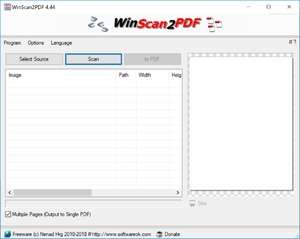
Version 9.34 is a freeware program which does not have restrictions and it's free so it doesn't cost anything.
Virus and Malware Tests:
For security reasons, you should also check out the WinScan2PDF download at LO4D.com which includes virus and malware tests. Additional screenshots of this application download may be available, too.Download WinScan2PDF
0.02 MB - Filesize
Details
| Publisher: | Nenad Hrg |
| License: | Freeware |
| OS/Platform: | Windows 7, Windows 8 (64-bit, 32-bit) / Vista / XP |
| Filesize: | 0.02 MB |
| Filename: | WinScan2PDF.zip |
| Cost (Full Version): | Free |
| Rating: |
4 out of 5 based on 57 ratings.
|
| TrustRank | Based on many factors, we give this program a Trust rating of 8 / 10. |
 |
|