
Free Defragmenter Download
UltraDefrag

Software Review:
UltraDefrag is a free Windows disk defragment utility which utilizes the same API which is used by virtually all other disk defragmenters which is provided by the Microsoft Windows operating system.
Though it defragments disks the same way Windows does, it includes several new and improved features which makes defragmentation more complete and puts more control into the hands of system administrators and users alike.
The graphical user interface doesn't take much time to get used to as it contains several standard features which most other defragmenters use.
When you run the program and choose to defragment a hard drive, you'll be given a couple of different options after hard drive analysis has completed.
Version 7.1.4 is a freeware program which does not have restrictions and it's free so it doesn't cost anything.
 Zoom: UltraDefrag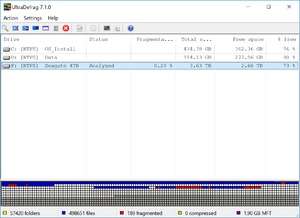
Though it defragments disks the same way Windows does, it includes several new and improved features which makes defragmentation more complete and puts more control into the hands of system administrators and users alike.
The graphical user interface doesn't take much time to get used to as it contains several standard features which most other defragmenters use.
When you run the program and choose to defragment a hard drive, you'll be given a couple of different options after hard drive analysis has completed.
Version 7.1.4 is a freeware program which does not have restrictions and it's free so it doesn't cost anything.
Virus and Malware Tests:
For security reasons, you should also check out the UltraDefrag download at LO4D.com which includes virus and malware tests. Additional screenshots of this application download may be available, too.Download UltraDefrag
450 KB - Filesize
Details
| Publisher: | Dmitri Arkhangelski |
| License: | Freeware |
| OS/Platform: | Windows 7, Windows 8 / Vista / XP |
| Filesize: | 450 KB |
| Filename: | ultradefrag-7.1.4.bin.i38... |
| Cost (Full Version): | Free |
| Rating: |
4 out of 5 based on 1 rating.
|
| TrustRank | Based on many factors, we give this program a Trust rating of 9 / 10. |
 |
|