
Free Video Capture Program Download
TinCam

Software Review:
Create a webpage with live pictures or video from your webcam. Upload pictures with FTP, serve them directly from your own computer or simply save them to a folder. TinCam can create and upload a webpage automatically. You can write text on the page, change colors and add a background picture.
Version 1.09 is a freeware program which does not have restrictions and it's free so it doesn't cost anything.
 Zoom: TinCam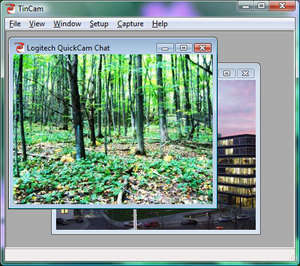
Version 1.09 is a freeware program which does not have restrictions and it's free so it doesn't cost anything.
Virus and Malware Tests:
For security reasons, you should also check out the TinCam download at LO4D.com which includes virus and malware tests. Additional screenshots of this application download may be available, too.Download TinCam
5.03 MB - Filesize
Details
| Publisher: | Tincam |
| License: | Freeware |
| OS/Platform: | Windows 7, Windows 8 (64-bit, 32-bit) / Vista / XP |
| Filesize: | 5.03 MB |
| Filename: | TinCam.exe |
| Rating: |
4.29 out of 5 based on 7 ratings.
|
| Notes |
|
| TrustRank | Based on many factors, we give this program a Trust rating of 9 / 10. |
 |
|