
Free File Organizer Download
TeraCopy

Software Review:
TeraCopy allows you to copy and move files on your Windows system at absolutely blazing fast speeds. It uses adjusted buffers in order to reduce seek times. It also uses asynchronous copy to speed up transfers between hard drives. If TeraCopy encounters an error while copying files or moving them, it will automatically retry the transfer and in case of another failure, will skip the files completely unlike Windows which will automatically cancel the operation.
Version 3.17 is a freeware program which does not have restrictions and it's free so it doesn't cost anything.
 Zoom: TeraCopy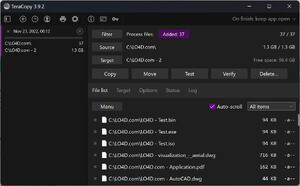
Version 3.17 is a freeware program which does not have restrictions and it's free so it doesn't cost anything.
Virus and Malware Tests:
For security reasons, you should also check out the TeraCopy download at LO4D.com which includes virus and malware tests. Additional screenshots of this application download may be available, too.Download TeraCopy
0.47 MB - Filesize
Details
| Publisher: | Code Sector Inc |
| License: | Freeware |
| OS/Platform: | Windows 7, Windows 8 (64-bit, 32-bit) / Vista / XP |
| Filesize: | 0.47 MB |
| Filename: | teracopy3.17.exe |
| Cost (Full Version): | Free |
| Rating: |
4.5 out of 5 based on 58 ratings.
|
| Notes |
|
| TrustRank | Based on many factors, we give this program a Trust rating of 9 / 10. |
 |
|