
Free Music Tool Download
Synthesia

Software Review:
If you've ever wanted to easily learn how to play the piano, Synthesia is perhaps one of the easiest ways to help you do that. Using it is simple! Find your favourite midi files from the web and plug them in to Synthesia. The program will play back the instruments from the midi file and show you how to play them.
Version 10.9.5903 is a freeware program which does not have restrictions and it's free so it doesn't cost anything.
 Zoom: Synthesia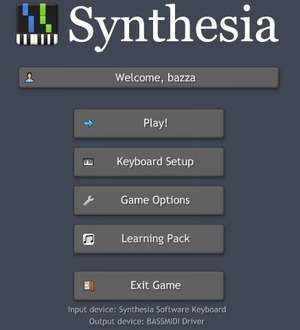
Version 10.9.5903 is a freeware program which does not have restrictions and it's free so it doesn't cost anything.
Virus and Malware Tests:
For security reasons, you should also check out the Synthesia download at LO4D.com which includes virus and malware tests. Additional screenshots of this application download may be available, too.Download Synthesia
3.7 MB - Filesize
Details
Synthesia Awards: |
|
| Publisher: | Nicholas Piegdon |
| License: | Freeware |
| OS/Platform: | Windows 7, Windows 8 / Vista / XP |
| Filesize: | 3.7 MB |
| Filename: | Synthesia-10.9-installer.... |
| Cost (Full Version): | Free |
| Rating: |
5 out of 5 based on 1 rating.
|
| Notes |
|
| TrustRank | Based on many factors, we give this program a Trust rating of 8 / 10. |
 |
|