
Free System Utility Download
Pokki

Software Review:
One of the most annoying things of migrating to Windows 8 is the complete lack of the handy start menu which we've all grown accustomed to. Pokki is a solution which provides Start Menu functionality for the newest version of Windows.
While installing Pokki for Windows 8, you will be able to use a new type of start menu which was not developed by Microsoft, but has been designed to fit right into the existing operating system. You will be given access to currently installed programs, notifications, bookmarks and favorites and shut down buttons.
Version 260.11.291 is a freeware program which does not have restrictions and it's free so it doesn't cost anything.
 Zoom: Pokki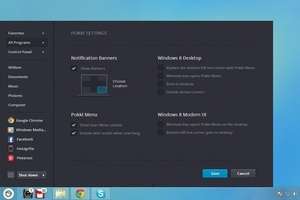
While installing Pokki for Windows 8, you will be able to use a new type of start menu which was not developed by Microsoft, but has been designed to fit right into the existing operating system. You will be given access to currently installed programs, notifications, bookmarks and favorites and shut down buttons.
Version 260.11.291 is a freeware program which does not have restrictions and it's free so it doesn't cost anything.
Virus and Malware Tests:
For security reasons, you should also check out the Pokki download at LO4D.com which includes virus and malware tests. Additional screenshots of this application download may be available, too.Download Pokki
780 KB - Filesize
Details
| Publisher: | SweetLabs, Inc |
| License: | Freeware |
| OS/Platform: | Windows 7, Windows 8 (64-bit, 32-bit) / Vista / XP |
| Filesize: | 780 KB |
| Filename: | Pokki_Start_MenuSetup.exe |
| Cost (Full Version): | Free |
| Rating: |
4.5 out of 5 based on 51 ratings.
|
| Notes |
|
| TrustRank | Based on many factors, we give this program a Trust rating of 9 / 10. |
 |
|