
Free MP3 Player Download
MusicBee

Software Review:
MusicBee is a music manager absolutely packed to the brim with features which are both useful and well thought-out. Some of the most used features would probably be the format converter and the CD ripper, but the lyrics finder tool also comes in handy.
MusicBee is organized into several different panels which is actually rather similar to the style the Apple iTunes uses. The center panel displays the currently loaded playlist together with artists, genres and albums.
Version 3.6.9202 is a freeware program which does not have restrictions and it's free so it doesn't cost anything.
 Zoom: MusicBee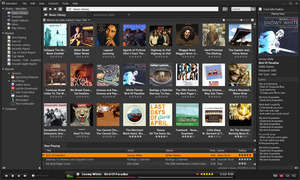
MusicBee is organized into several different panels which is actually rather similar to the style the Apple iTunes uses. The center panel displays the currently loaded playlist together with artists, genres and albums.
Version 3.6.9202 is a freeware program which does not have restrictions and it's free so it doesn't cost anything.
Virus and Malware Tests:
For security reasons, you should also check out the MusicBee download at LO4D.com which includes virus and malware tests. Additional screenshots of this application download may be available, too.Download MusicBee
23.1 MB - Filesize
Details
| Publisher: | Steven Mayall |
| License: | Freeware |
| OS/Platform: | Windows 7, Windows 8 / Vista / XP |
| Filesize: | 23.1 MB |
| Filename: | MusicBeeSetup_3_6.zip |
| Cost (Full Version): | Free |
| Rating: |
3.2 out of 5 based on 1 rating.
|
| Notes |
|
| TrustRank | Based on many factors, we give this program a Trust rating of 6 / 10. |
 |
|