
Free Converter Download
MP3Gain

Software Review:
Not all CD audio tracks are created equal and while professionally produced discs normally have acceptably normalized tracks, not every one does. Different gain levels exist and MP3Gain was created to tackle this.
This program analyzes and normalizes the MP3 files you select and it optimizes them without a loss in sound quality. If you're unsure about making changes to your MP3 file, MP3Gain gives users the option of analyzing the suggested changes before actually writing them to disc.
Version 1.3.4 Beta is a freeware program which does not have restrictions and it's free so it doesn't cost anything.
 Zoom: MP3Gain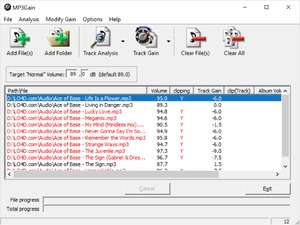
This program analyzes and normalizes the MP3 files you select and it optimizes them without a loss in sound quality. If you're unsure about making changes to your MP3 file, MP3Gain gives users the option of analyzing the suggested changes before actually writing them to disc.
Version 1.3.4 Beta is a freeware program which does not have restrictions and it's free so it doesn't cost anything.
Virus and Malware Tests:
For security reasons, you should also check out the MP3Gain download at LO4D.com which includes virus and malware tests. Additional screenshots of this application download may be available, too.Download MP3Gain
1.9 MB - Filesize
Details
| Publisher: | Mp3gain |
| License: | Freeware |
| OS/Platform: | Windows 7, Windows 8 / Vista / XP / NT |
| Filesize: | 1.9 MB |
| Filename: | mp3gain-win-1_3_4.exe |
| Cost (Full Version): | Free |
| Rating: |
4 out of 5 based on 72 ratings.
|
| Notes |
|
| TrustRank | Based on many factors, we give this program a Trust rating of 8 / 10. |
 |
|