
Clipboard Program Download
Clip Plus

About this software:
Clip Plus enhances the Windows Clipboard, making it a true power tool.
Windows Clipboard is the built-in storage for the data transfer between different applications. You don't normally see the clipboard: it works in background, by keeping the items that you copy or cut, and letting you insert them into other documents with the paste command.
The Cut, Copy, and Paste capabilities of Windows works well for transferring single items of data but is not useful if you want to move a lot of data or keep data longer than until your next cut or copy.
Clip Plus 6.11 is a shareware program and can be used as a demo to try the software until the free trial period has ended. A full version of the program is available after the trial period ends.
 Zoom: Clip Plus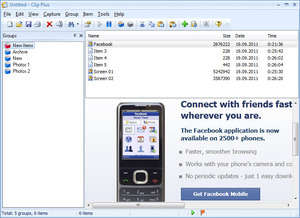
Windows Clipboard is the built-in storage for the data transfer between different applications. You don't normally see the clipboard: it works in background, by keeping the items that you copy or cut, and letting you insert them into other documents with the paste command.
The Cut, Copy, and Paste capabilities of Windows works well for transferring single items of data but is not useful if you want to move a lot of data or keep data longer than until your next cut or copy.
Clip Plus 6.11 is a shareware program and can be used as a demo to try the software until the free trial period has ended. A full version of the program is available after the trial period ends.
Virus and Malware Tests:
For security reasons, you should also check out the Clip Plus download at LO4D.com which includes virus and malware tests. Additional screenshots of this application download may be available, too.Download Clip Plus
6.44 MB - Filesize
Details
| Publisher: | Crystal Office Systems |
| License: | Shareware |
| OS/Platform: | Windows 7, Windows 8 (64-bit, 32-bit) / Vista / XP |
| Filesize: | 6.44 MB |
| Filename: | clbplus.exe |
| Cost (Full Version): | $16.95 (USD) |
| Rating: |
3.8 out of 5 based on 9 ratings.
|
| TrustRank | Based on many factors, we give this program a Trust rating of 7 / 10. |
 |
|